How to Remove Unauthorized GoFundMe Nonprofit Pages (Created Without Permission)
Published
October 23, 2025

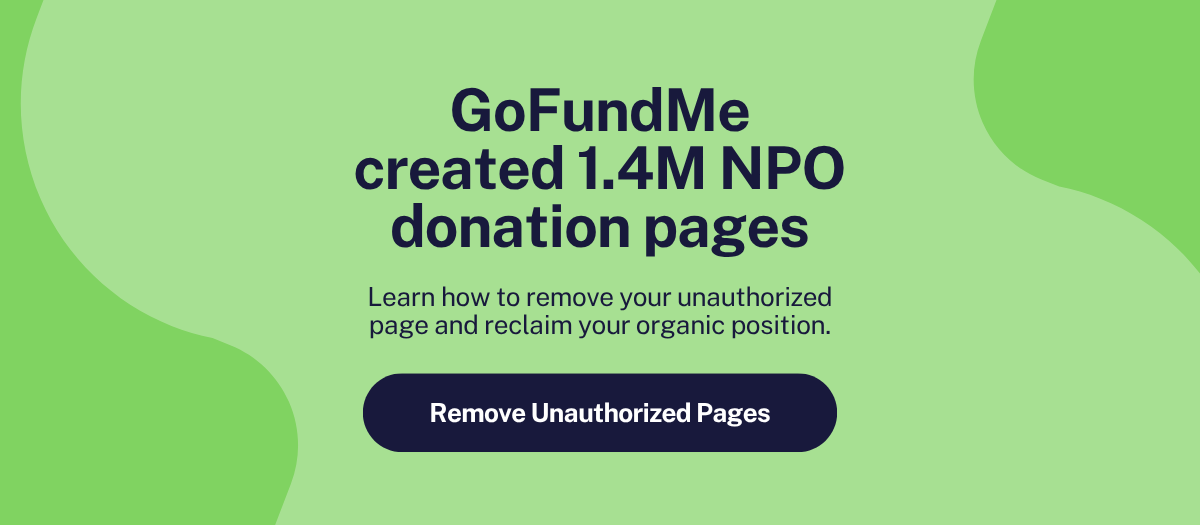
Recent headlines about GoFundMe creating millions of nonprofit donation pages without explicit permission have caused understandable frustration across the sector.
In October 2025, GoFundMe created approximately 1.4 million donation pages for U.S. nonprofits using public IRS data and information from partners like PayPal Giving Fund. While the intention may have been to make fundraising easier, the impact has been significant: these pages are appearing in search results, sometimes ahead of nonprofits' official websites.
If you've discovered a GoFundMe page created without your consent, this guide shows you how to manage or remove it, reclaim your search visibility, and maintain control of your donor relationships.
Here's what happened, what challenges these pages create, and the step-by-step process to address them.
Update: Following widespread nonprofit complaints, GoFundMe announced it is removing optional tips from unclaimed pages and removing logos from pages until nonprofits claim them. However, the core issues remain: pages were still created without permission, loss of rank positions continues, and organizations must still go through GoFundMe's claim process to remove their pages entirely.
[HR]
GoFundMe used publicly available 501(c)(3) data from the IRS, along with information from partners like PayPal Giving Fund, to automatically create donation pages for 1.4 million nonprofits without asking permission.
Many organizations only discovered these pages when donors reached out asking if they were legitimate.
Not sure if your organization is affected? Here's how to find out:
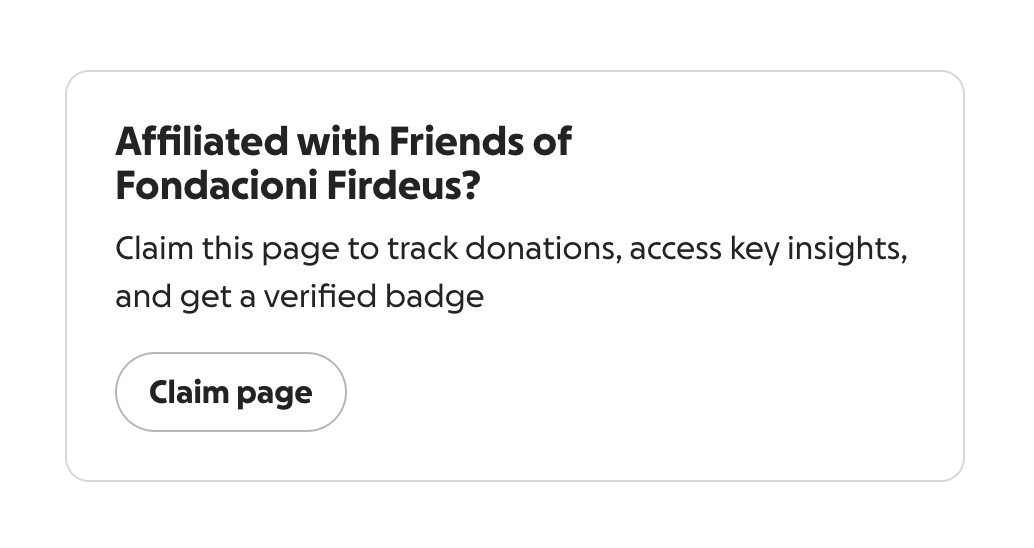
Red flags that indicate an unauthorized page:
The reliable tell is the "Claim page" prompt at the bottom. This reveals the nonprofit never created it.
These pages have created several operational challenges for nonprofits:
1. Search Visibility & Donor Direction
The auto-generated pages are appearing in search results, sometimes ahead of nonprofits' official websites. When donors search "[your nonprofit] donate," they may land on the GoFundMe page instead of your organization's official donation page.
These pages often rank prominently because of GoFundMe's strong domain authority. Organizations that have invested time and resources building their online presence are finding themselves outranked by pages they didn't create or authorize.
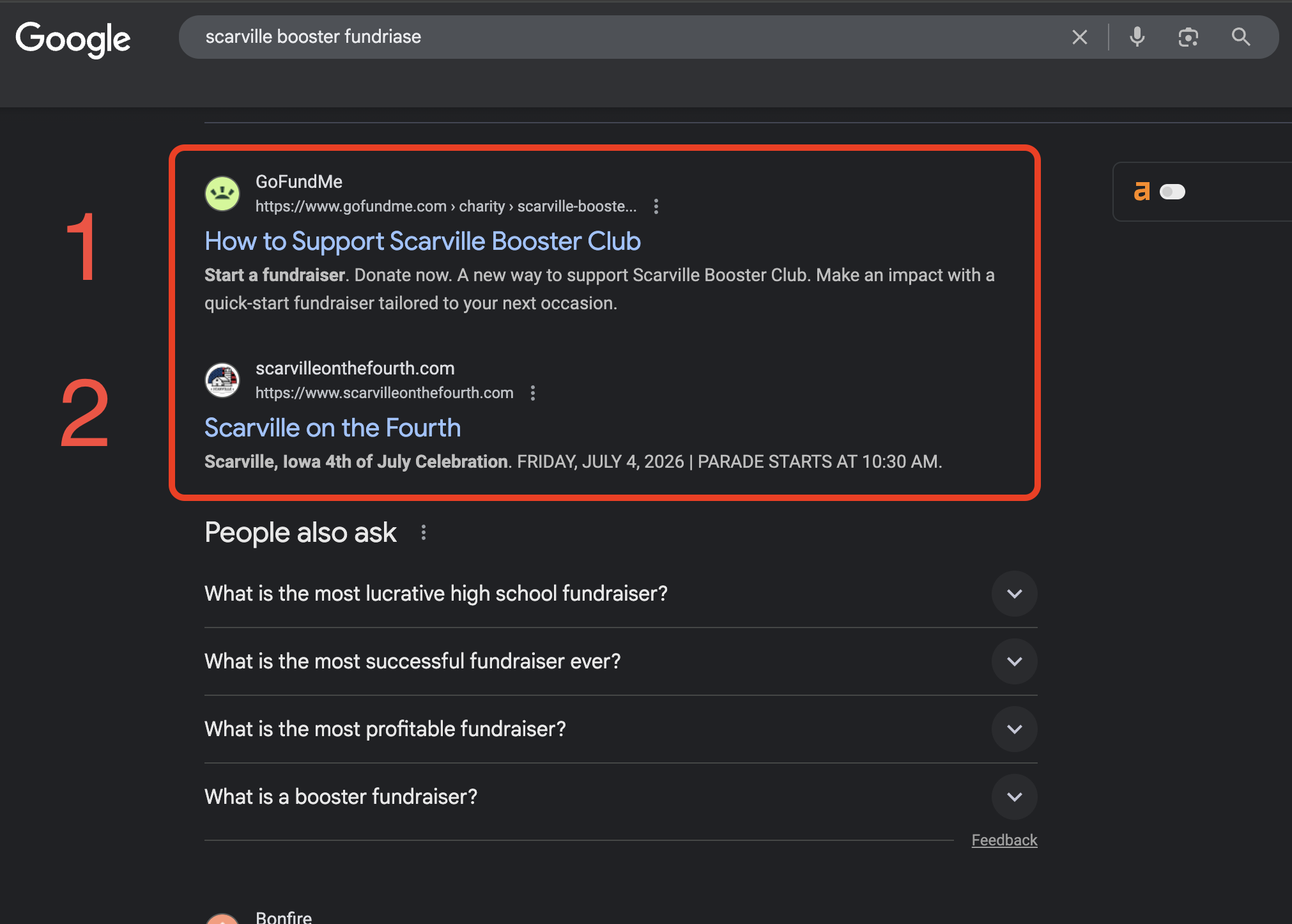
Real-world impact: Rachel Bearbower, nonprofit automation expert, shared: "I spent actual hours getting our Scarville on the Forth parade website to rank #1 on Google. And then, without asking, GoFundMe creates a donation page for us and jumps ahead of our site in search results. My top spot? Gone."[1] When donors search for an organization, the unauthorized GoFundMe page now appears first, intercepting donations meant for the nonprofit.
Small nonprofits face additional challenges. Organizations without established online presence or dedicated web staff may find it more difficult to reclaim their search rankings. These same organizations often have limited bandwidth to navigate verification processes for pages they didn't request.
2. Branding & Information Accuracy
Initially, nonprofit logos were displayed without permission. While logos have since been removed from unclaimed pages following feedback from the sector, many pages still contain outdated or incomplete information.
3. Donor Confusion & Trust
Even with tips now disabled on unclaimed pages (a recent update following sector feedback), questions around page legitimacy and organizational control can create confusion for donors.
4. Transaction Fees & Payment Timing
While optional tips have been removed from unclaimed pages following sector feedback, transaction fees still apply:
Once a nonprofit claims their page, the optional 16.5% tip becomes available again, but donors often don't realize it's optional.
If your page is unclaimed, donations go through PayPal Giving Fund, which takes 15 to 45 days to grant the money to your nonprofit (and only if you already have a relationship with PayPal). You can't send immediate donor thank-yous, make quick CRM entries, or do donor stewardship for over a month.
5. Limited Organizational Control
Until you claim the page, you have:
To make changes or correct information, organizations must go through the claim process and agree to GoFundMe's terms.
[HR]
Why claim it first? This prevents anyone else from claiming it and gives you full control before removal.
After verification, disable these settings:
If you don't want to go through their validation process, you can submit a takedown request:
Email these addresses:
Or use their data removal form: preferences.gofundme.com
Include in your request:
[HR]
While waiting for removal, take these steps to reclaim your search rankings:
[HR]
Nonprofit autonomy: Your organization should control how you're represented online.
Donor trust: When donors are uncertain about page legitimacy, it affects trust across the sector.
Operational clarity: Transparent processes and clear ownership help nonprofits serve their missions effectively.
Search visibility: Your official channels should be where donors find you first.
This situation represents a broader pattern in the sector. PayPal Giving Fund faced similar concerns in 2017 regarding consent and nonprofit representation, which ultimately resulted in sector-wide conversations about best practices for platform partnerships.
[HR]
At Velora, we believe this situation highlights a fundamental principle: nonprofits should own their mission, including their digital presence and fundraising strategy.
As our CEO, Anush Vinod, recently stated:
"While the intention may have been to make fundraising easier, the impact is clear: it adds unnecessary administrative work, causes confusion, and deeply erodes the trust nonprofits rely on to operate. At Velora, we commit to a different standard, guided by our values: Own the Mission. Integrity drives us to respect your brand and autonomy. We are partners, not presumptuous agents. The Human Pulse: Our focus is simplifying your operations, not creating more tech debt or cleanup."
To be perfectly clear: At Velora, we will never create a fundraising page, campaign, or program for a nonprofit without their direct and explicit authorization.
If you're looking for fundraising and donor management platforms that prioritize your organizational autonomy:
Keela | Donor Management & Intelligent Nonprofit CRM
Raisely | Modern Fundraising Platform
We believe that true partnership means delivering powerful tools that empower, not override.
[HR]
Don't wait for donors to ask if that GoFundMe page is real. Take 10 minutes today to:
Your nonprofit's brand and donor relationships are too valuable to let a third party control them without your permission.
[HR]
This issue has been covered extensively by major news outlets and nonprofit experts:
[HR]
GoFundMe created auto-generated pages for 1.4 million U.S. nonprofits using public IRS data. These pages have strong SEO because of GoFundMe's high domain authority, causing them to outrank smaller nonprofit websites in search results.
You have three options: (1) Claim the page through GoFundMe's nonprofit portal and unpublish it, (2) Submit a takedown request directly to privacy-requests@gofundme.com and dpo@gofundme.com, or (3) File complaints with your State Attorney General and the FTC if GoFundMe doesn't respond. See the full step-by-step instructions above.
Yes. Once you claim your page through GoFundMe's nonprofit portal, you can unpublish it, which removes it from public search results. You can also request complete removal via their data removal form at preferences.gofundme.com.
If you didn't create it, it's an unauthorized page that GoFundMe auto-generated without your permission. While the page may direct donations to your organization (if claimed), it's not "legitimate" in the sense that you never authorized it.
No. If you're losing search visibility because GoFundMe is outranking your official donation page, removing the unauthorized page will help donors find your real website. Plus, your official donation forms likely have lower fees and give you full control over donor data and relationships.
If you claim the page, you should gain access to that donor data and can steward those relationships going forward. However, this is another reason to act quickly—the sooner you claim and remove the page, the fewer donors will be diverted through an unauthorized channel where you have limited control.
With another B Corp recertification done and dusted, we are certainly proud of our new score and well aware of the progress that will continue! Want to join us and team up with the fundraising platform that shares your mission? 🙋🏼♀️